How to measure your ring size with your phone camera
A step-by-step guide to measuring ring size from a photo, using a ring you own or your finger and any standard-sized card for scale.
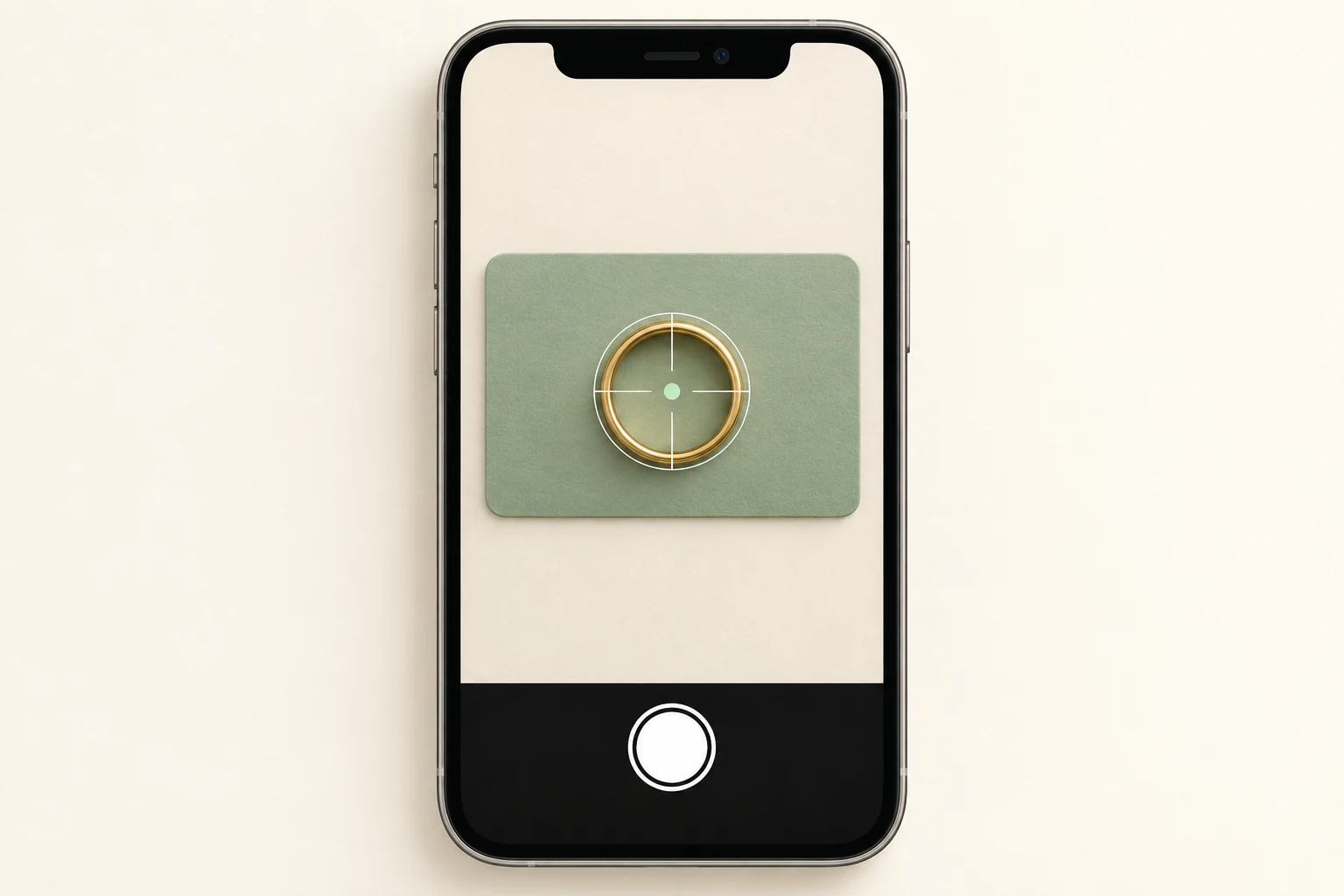
Your phone camera can measure a ring or a finger, as long as something of known size sits in the same photo. A camera on its own can't tell whether a ring is small and close or large and far away. A reference object solves that, and the most convenient one is already in your wallet.
This guide explains how camera ring sizing works, how to set up a clean photo, and how far you can trust the result.
What you need
- A standard-sized card. Bank cards, loyalty cards and most membership cards share the ID-1 format: 85.60 × 53.98 mm (3.370 × 2.125 in). A plain card is fine; you don't need to show any personal details.
- A ring that fits the finger you're sizing, if you have one. Measuring a ring is more reliable than measuring a finger.
- A flat, clear surface with even light, such as a table near a window, without harsh shadows.
- A camera ring sizer app. We'll use Ring Sizer, our free app for iPhone and Android, but the principles apply to any photo-based method.
How a camera measures a ring
The card's four corners have a known size and shape. When the app finds them in the photo, it can map every point on the card's surface to real millimeters, even if the photo is slightly tilted. This is called a perspective (projective) correction.
With that scale in place:
- For a ring, the app finds the circular inner edge and measures its diameter. The inner circumference is π × diameter, which is what ring size charts are based on.
- For a finger, it measures the visible width at the point where a ring sits, then estimates circumference by assuming a round cross-section. Fingers are not perfect circles, so this is an estimate. More on that below.
Measuring a ring, step by step
- Place the ring flat on the card, or right beside it on the same surface. Keep other round or rectangular objects out of the frame.
- Hold the phone level above the card. Use your app's level guide if it has one; Ring Sizer shows a crosshair that centers when the phone is flat.
- Fill the frame sensibly. All four card corners and the whole ring must be visible. Closer is better, as long as nothing is cut off.
- Take the photo, or choose a photo you have already taken.
- Check the card corners. Zoom in and make sure each detected corner sits on the card's actual corner. Rounded corners are matched at the point where the straight edges would meet.
- Check the ring edge. The circle should touch the inner edge of the band all the way round, not the outer edge.
The result is the inner diameter and circumference, converted to the size system you choose. Ring Sizer compares 15 systems, including US, UK, European, Japanese and Indian sizes.
Measuring a finger, step by step
No ring to measure? You can estimate from the finger itself.
- Lay your hand flat and relaxed on the table with the fingers slightly spread. Pressing down makes fingers look wider.
- Place the card horizontally above your fingertips, on the same surface.
- Photograph from directly above, with all fingers and all four card corners in view.
- Choose the finger, then move the measurement line to where the ring would sit. Check a wider section near the knuckle too: a ring has to pass over it.
Because the camera only sees the finger's width, treat a finger measurement as a starting point. Many people's fingers are slightly flatter than a circle, so π × width can come out a little larger than a tape measurement.
Tips for a reliable result
- Even, diffuse light. Shadows can look like edges. Avoid direct sun and overhead spotlights.
- A level phone. Perspective correction handles a little tilt in the card's plane, but it can't fully correct a ring or finger that sits above that plane.
- Two or three photos. If your results disagree by more than about a quarter size, check your setup and review the detected edges again.
- Measure at a normal temperature. Fingers swell in heat and after exercise, and shrink in the cold. Measuring at a comfortable room temperature, later in the day, is common jeweler advice.
How accurate is a phone camera?
A careful photo with a clearly visible card can get you close, but it is still an estimate. Lighting, camera angle, the height of the ring or finger above the card, and the exact corner positions all affect the result. Finger estimates add the uncertainty of a non-circular cross-section.
Use a camera measurement to find your likely size and to compare international sizes. For an engagement ring or an expensive purchase, confirm with a physical ring sizer or your jeweler before you order. Many jewelers also offer resizing; check their policy.
Next steps
- Check your size in other systems with our conversion chart.
- Compare camera sizing with other ways to check your ring size at home.
- Read support and FAQ for help with tricky photos.