How to check your ring size at home: 5 methods compared
From a strip of paper to your phone, the practical ways to check ring size at home, what each gets wrong, and which to use.
You don't need to visit a jeweler to get a good idea of your ring size. Here are five common at-home methods, roughly from least to most reliable, with the mistakes to avoid for each.
Whatever you use, remember that ring sizes describe the inside of a ring: its inner circumference, or the matching inner diameter.
1. A strip of paper or string
Wrap a thin strip of paper or a piece of non-stretchy string around the base of your finger, mark where it overlaps, then measure the length with a ruler. That length is your finger's circumference in millimeters.
Watch out for:
- Stretch and slack. String stretches and paper creases. Both are easy to pull too tight or leave too loose.
- The knuckle. A ring must slide over it. Check the circumference there too, and lean towards the larger number.
- Reading the ruler. About 1.3 mm of circumference separates one US half size from the next, so small errors add up.
Good for a rough idea. Not precise enough on its own for an engagement ring.
2. Measure a ring you own with a ruler
Lay a ring that fits flat on a ruler and measure across the inside, from inner edge to inner edge. That's the inner diameter; look it up in a conversion chart.
Watch out for: measuring the outer edge, or not measuring through the center. US half sizes differ by only about 0.4 mm in diameter, which is hard to read on a ruler by eye.
3. An on-screen ring sizer
Place your ring on your phone screen and resize a circle to match its inner edge. It's quick, but it needs calibrating for your screen first, usually with a bank card. See our guide to measuring ring size on a phone screen.
4. Your phone camera and a card
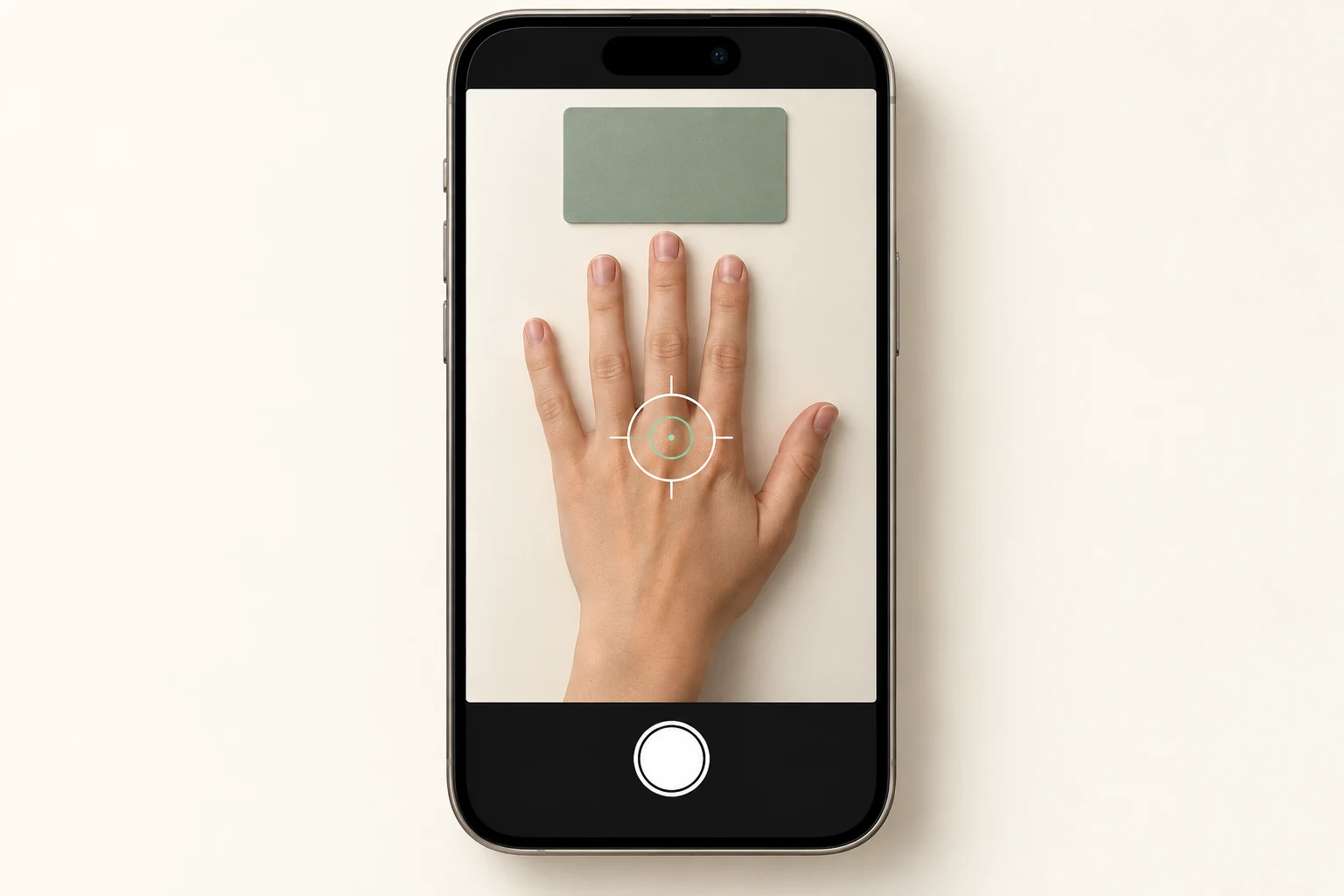
Photograph a ring, or your hand, beside a standard-sized card (85.60 × 53.98 mm). The card's known size gives the photo a scale, and an app measures the ring's inner edge or the finger's width.
Why it helps:
- It corrects for slight tilt in the card's plane.
- You can zoom in on the photo to check every edge.
- It can estimate from your finger when you don't have a ring.
Watch out for: shadows, a tilted phone and a ring sitting high above the card. Finger results are estimates, since fingers aren't perfectly round. Our step-by-step guide covers measuring ring size with your phone camera.
5. A physical ring sizer or your jeweler
A set of sizing rings, or a plastic ring-sizer strip, measures the actual fit, knuckle included. A jeweler can also advise on band width: wide bands often feel tighter and may need a larger size.
This is the most reliable option, and the one we recommend for confirming an important purchase.
Which method should you use?
| Method | Needs a ring | Typical pitfalls | Best for |
|---|---|---|---|
| Paper strip or string | No | Stretch, slack, knuckle | A rough first guess |
| Ruler across a ring | Yes | Reading tenths of a millimeter | A quick check |
| On-screen sizer | Yes | Needs screen calibration | Matching a ring you own |
| Phone camera and card | No | Lighting, tilt, finger shape | A careful at-home estimate |
| Ring sizer or jeweler | No | Getting to one | Confirming before you buy |
Tips for any method
- Measure at a comfortable temperature. Fingers swell when it's warm and shrink in the cold.
- Measure more than once, ideally at different times of day.
- Between sizes? Choose the larger, especially for wide bands.
- Check your jeweler's chart. Published charts differ slightly between brands and countries.
Try it with your phone
Ring Sizer is our free iPhone and Android app for the camera method. It measures a ring or estimates from a finger, shows every detected edge for you to check, and converts between 15 size systems. Photos are processed on your phone.